OdontoHub A clinic’s daily work, in one connected experience.
A showcase of our ability to turn routines into clear interfaces: from the day’s overview to patient context, with a personalisable visual identity.
Created by the Digital S&D team as a demonstration. Uses fictional data. Business data stays in page memory; only colour and theme persist in the browser. This is not a deployment for a client clinic.
From the proposed problem to delivery.
Proposed audience: clinic staff who need scheduling, patient context and settings within common navigation.
Proposed problem
How can the day’s overview sit alongside appointment details? The project explores this experience with fictional data; it is not a clinical deployment or a production patient record system.
Contribution and responsibility
A Digital S&D team project, founded by Álvaro Marinho and Arthur Leite. Álvaro is a founder; we do not attribute the entire implementation to one person. This presentation brings together the team’s work and the checks performed on this version.
Implementation decisions
- Next.js routes and React components separate overview, patients, scheduling and settings.
- The schedule demonstrates four views, time intervals and conflict prevention using local state.
- Appearance offers six colours and three themes; only colour and theme persist in the browser.
- The notice and documentation distinguish Prisma models and dependencies from an actually connected backend.
Next.js · React · TypeScript · Tailwind CSS
Delivery and evidence
Navigable interfaces, a fictional patient list and search, odontogram, local anamnesis, scheduling and settings. Financial numbers are illustrative indicators; this version does not implement a transaction module.
Lint with no warnings, four formatting/search tests and a TypeScript build passed. Running checks covered navigation and search, odontogram, appointment creation, conflict rejection and reset after reload. Colour and theme persisted after reload. Desktop and mobile screenshots document this version.
Limits of this version
Private source. No connected login, per-user protection, database or data API. Different patient IDs display the same sample patient. Scheduling, records and business adjustments are temporary; settings for opening hours do not change the schedule. There are no payments or claims of production clinical security or compliance.
Information that needs to make sense together.
Scheduling, patient history and settings are part of the same routine. The project explores presenting that context with direct navigation, clear states and different ways to view information.
From overview to detail.
- Daily overview and patient search
- Schedule views and time rules
- Patient record, odontogram and anamnesis
- Fictional financial indicators and visual personalisation
Explore the interface.
Actual project screenshots, using demonstration data. Open an image to see its details at full size.
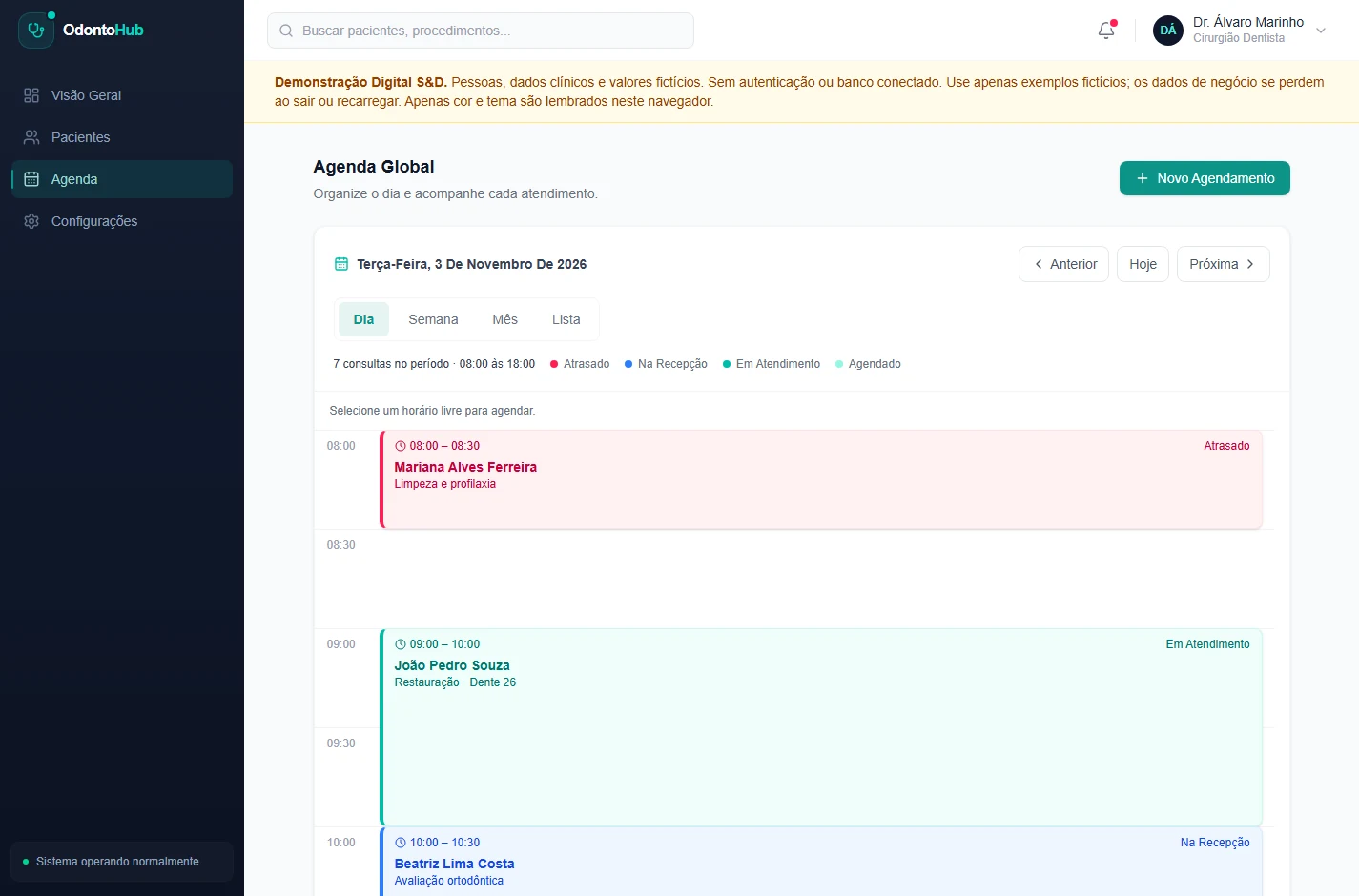
One schedule, different views
Day, week, month and list views, with service hours and conflict checks in the demonstration.
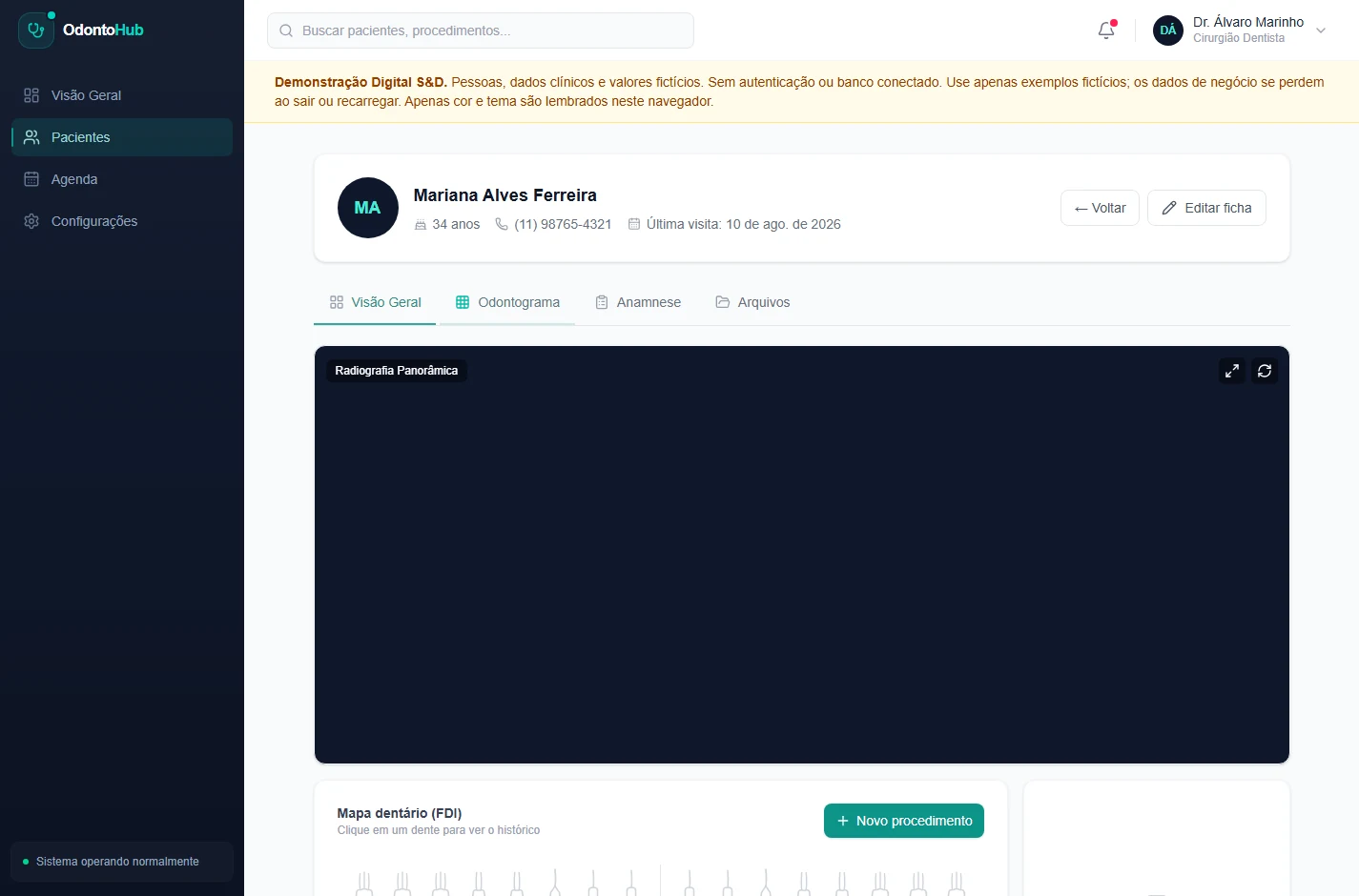
The appointment context in one place
Patient record, odontogram and anamnesis connected to patient navigation. All records shown are fictional.
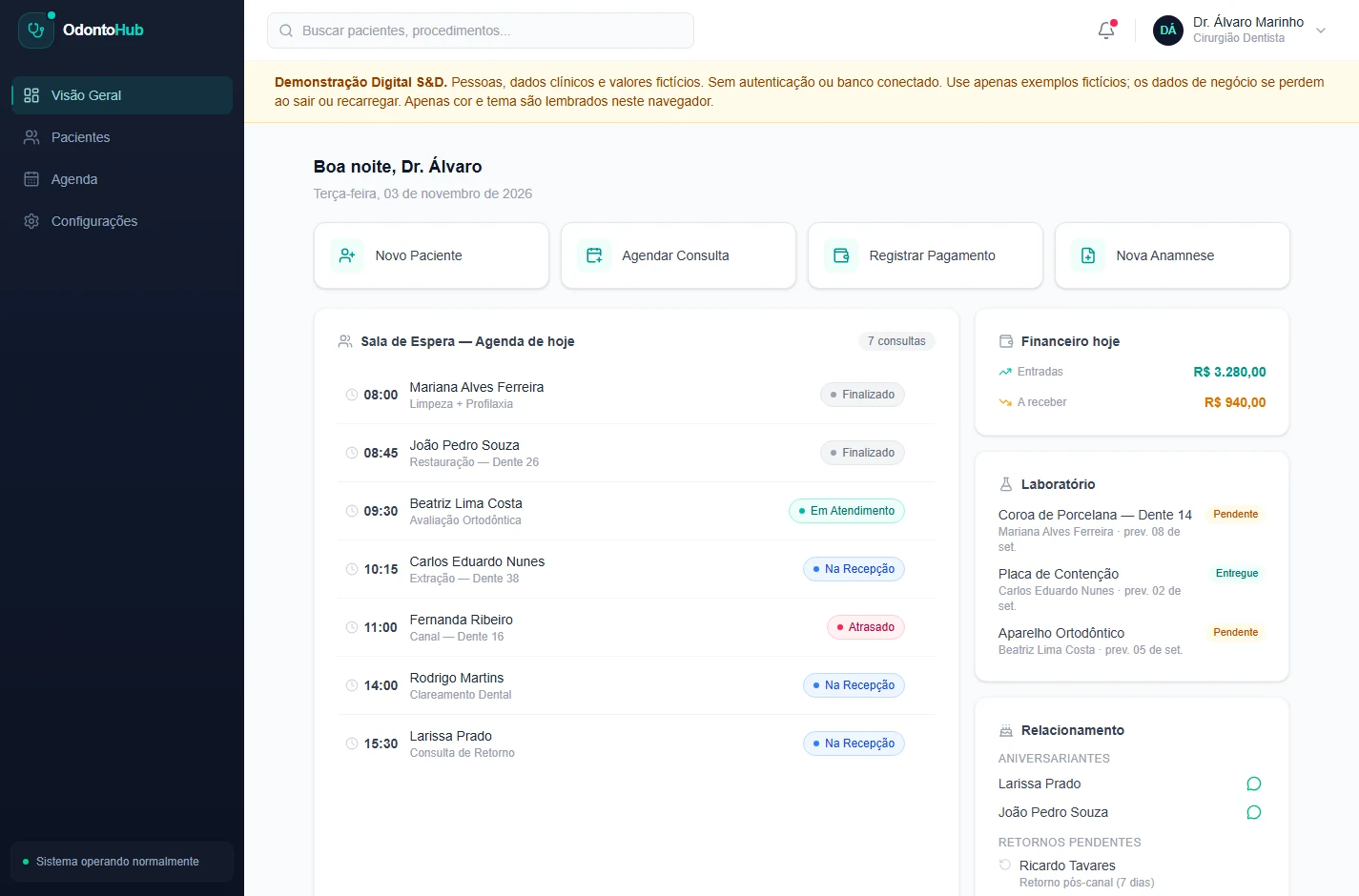
An overview of the day
Indicators and scheduling use constant sample data. Finance is illustrative: this version does not implement transactions, receipts or payments.
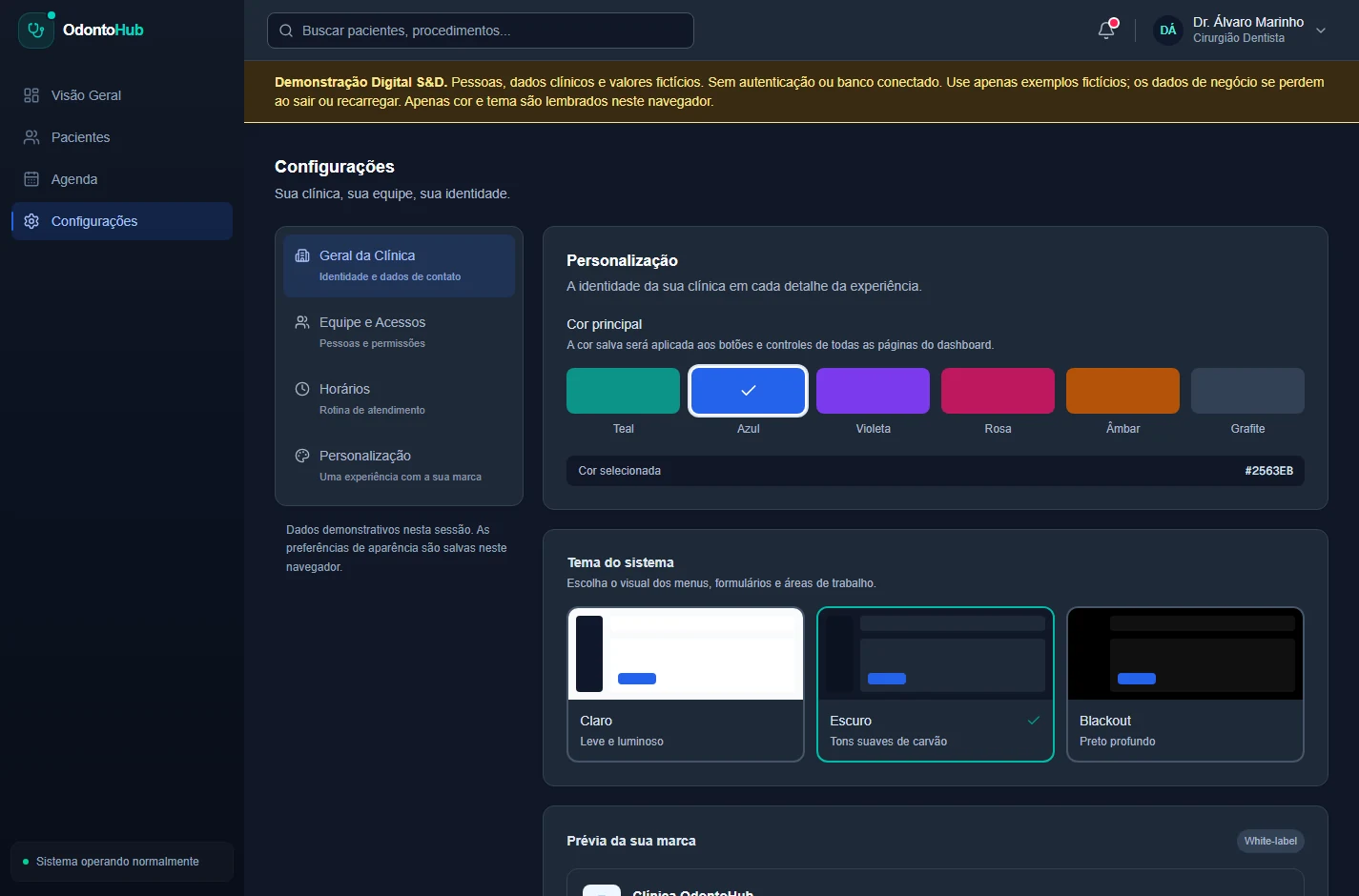
Colour and theme remembered in the browser
Six colours and three themes persist in this browser. Name and logo are local previews; business changes are not synchronised or saved to a database.
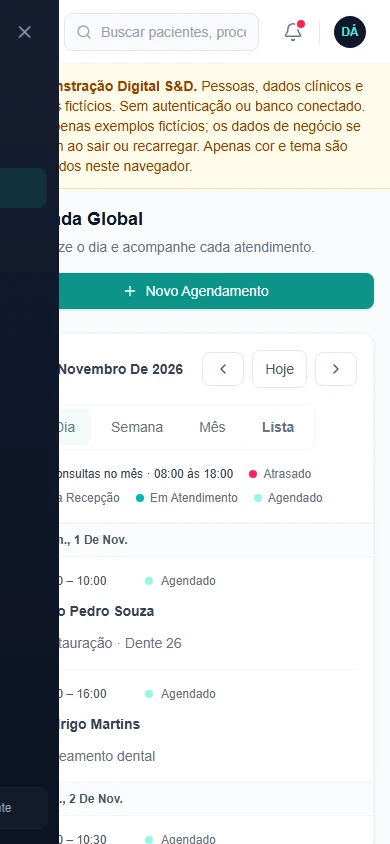
Daily work fits on a phone, too.
Navigation adapts to smaller screens. The schedule offers a list view, while wider areas retain their own internal scrolling.
The screenshot shows the actual interface. It is not an app published in a store or synchronisation between devices.
What this demonstration includes — and the next stage.
In this showcase
Navigable interfaces, fictional data, local simulations and appearance settings. Financial indicators are constant examples; no transactions, payments or billing module is implemented.
In a real deployment
Authentication, databases, permissions, integrations and privacy and security requirements are planned and implemented for each project. The demo must not receive real clinical data.
Your needs may differ. Our care stays the same.
Tell us what you need to organise or present. We can discuss a website, landing page or custom system.